

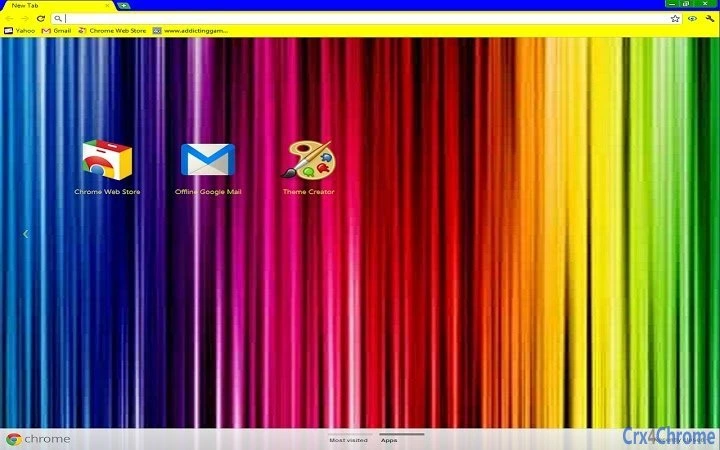
Description
Stunning Dark Mode Theme for Browser Personalization
This browser theme delivers a sleek, modern dark mode interface designed to enhance visual comfort and personalization. Ideal for users seeking a refined browsing experience with minimal distractions. The theme is tailored for individuals who value aesthetics and a clean user interface. It supports both Windows and Mac platforms, making it accessible across major desktop operating systems. Real-world use cases include extended browsing sessions, reducing eye strain during nighttime use, and customizing the browser’s appearance to match personal style preferences. The developer did not provide additional details about the background or development team. The theme’s simplicity focuses on visual appeal without complex functionality, positioning it as a lightweight tool for users prioritizing interface customization.
Key Features & Capabilities
- Dark Mode Interface – Transforms the browser’s appearance with a dark color scheme, reducing glare and improving visibility in low-light environments.
- Customizable Aesthetics – Offers a visually cohesive design that enhances the overall user interface without altering core browser functions.
- Lightweight Design – With a file size of 1.2 MB, the theme is optimized for fast installation and minimal system impact.
- Platform Compatibility – Works seamlessly on both Windows and Mac operating systems, ensuring broad accessibility.
- Non-Intrusive Updates – Designed to integrate smoothly with existing browser workflows, requiring no complex setup or configuration.
Users can apply the theme to achieve a consistent, visually pleasing browsing environment. It is particularly useful for professionals working late hours, students studying in dim lighting, or anyone who prefers a minimalist interface. The theme does not introduce new tools or features but focuses on enhancing the visual experience. Its straightforward implementation allows users to quickly personalize their browser without technical barriers.
User Interface, Workflow & Performance
The theme modifies the browser’s visual layout to deliver a clean, dark interface. Navigation remains unchanged, preserving the original workflow. Users can apply the theme with a single click through the browser’s extension or theme manager. The interface is designed to be intuitive, with no learning curve required. No performance metrics were provided by the developer, and exact resource usage details were not specified. General software behavior patterns suggest minimal impact on CPU and RAM usage due to its lightweight nature. Stability is expected to be consistent, as the theme does not interfere with core browser operations. No reports of crashes or conflicts were mentioned in the provided information.
Compatibility & System Requirements
The software is compatible with Windows and Mac operating systems. It is available in version 1.0 and has a file size of 1.2 MB. Exact system requirements were not listed. Compatibility information is limited to the operating systems mentioned. No specific hardware requirements were provided. The theme is designed for desktop browsers and does not require additional software or plugins to function. Installation is straightforward and does not involve complex configuration steps.
Pros and Cons
Pros
- Lightweight at just 1.2 MB, ensuring fast installation and minimal system impact.
- Provides a clean, modern dark mode interface for improved visual comfort.
- Compatible with both Windows and Mac, offering broad platform access.
- Simple to apply with no technical setup required.
- Free to use, making it accessible to all users regardless of budget.
Cons
- No additional features beyond visual customization.
- Developer background and support details were not provided.
- Exact performance impact on system resources was not specified.
- Limited to browser interface changes, not applicable for other applications.
- May not suit users who prefer light or colorful themes.
Is this theme compatible with my browser?
The theme is designed for desktop browsers on Windows and Mac operating systems. Specific browser compatibility was not detailed, but it is intended to work with major browser platforms.
Is the software safe to install?
As a browser theme, it does not contain executable code that could compromise system security. It only modifies visual elements of the browser interface.
How often are updates released?
Updates are not specified in the provided information. Users should check the source for any future releases or version changes.
Can I use this theme offline?
Once installed, the theme functions entirely offline and does not require an internet connection to operate.
What type of license does this software have?
The software is available at no cost, indicating a free license for personal and non-commercial use.
Final Thoughts
This browser theme offers a focused, effective solution for users seeking a sleek dark mode interface. Its lightweight design and cross-platform support make it a practical choice for enhancing the browsing experience. While it lacks advanced functionality, its simplicity is its strength—delivering a polished visual upgrade without complexity. It is best suited for individuals who prioritize aesthetics, reduced eye strain, and a distraction-free interface. For those looking to personalize their browser with minimal effort, this theme provides a reliable and secure option. Download Stunning Dark Mode Theme for Browser Personalization now.
Guides & Tutorials for Colorful theme Theme for Chrome
How to install Colorful theme Theme for Chrome
- Click the Preview / Download button above.
- Once redirected, accept the terms and click Install.
- Wait for the Colorful theme Theme for Chrome download to finish on your device.
How to use Colorful theme Theme for Chrome
This software is primarily used for its core features described above. Open the app after installation to explore its capabilities.
User Reviews for Colorful theme Theme for Chrome 0
No reviews found





